
Buying Guide
Welcome to our buying guide! Below are the detailed steps to help you place orders easily.
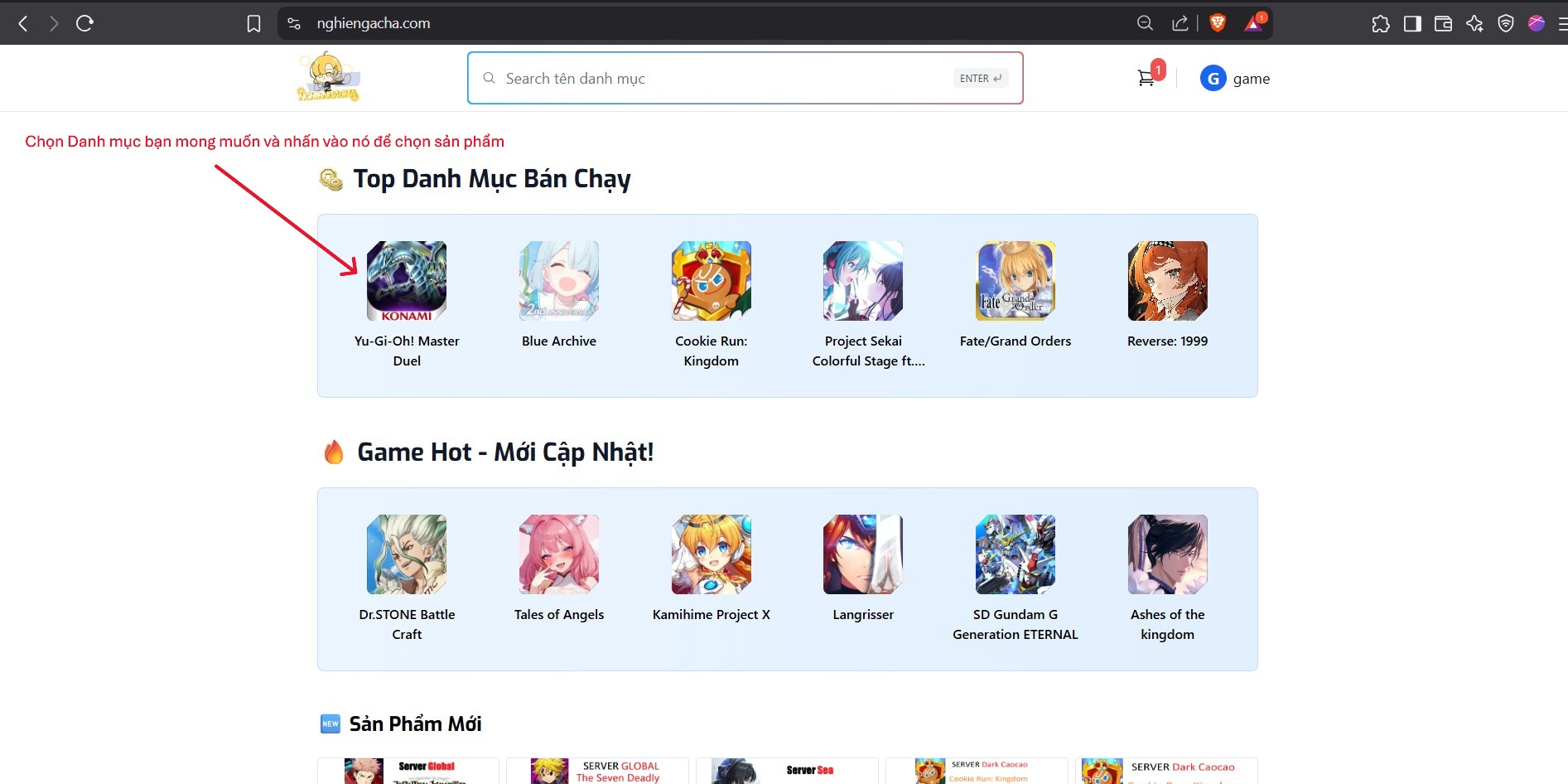
Step 1: Browse & Select Products
Browse through our product categories or use the search bar to find items of interest. Click on a product to view details.
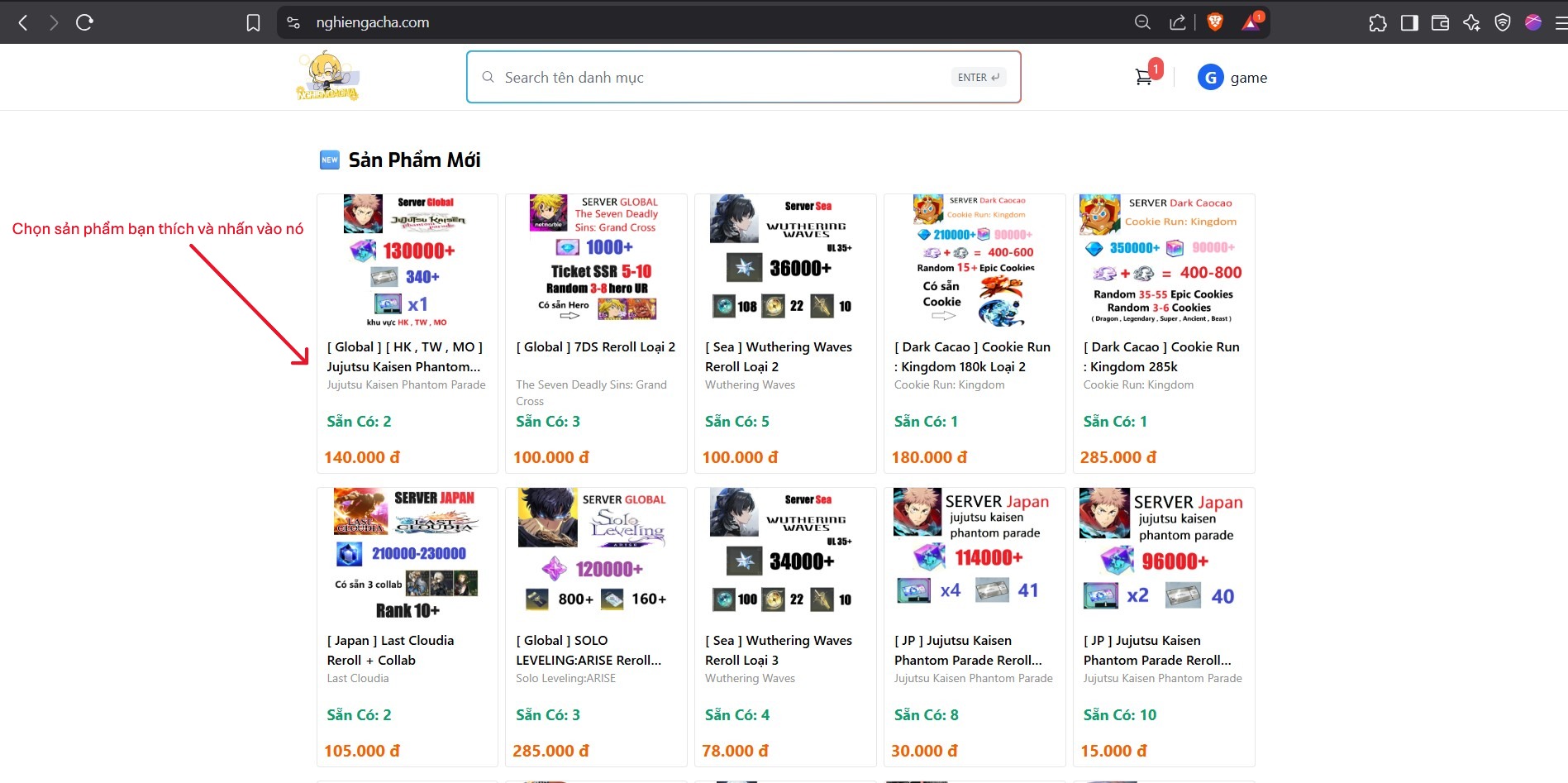
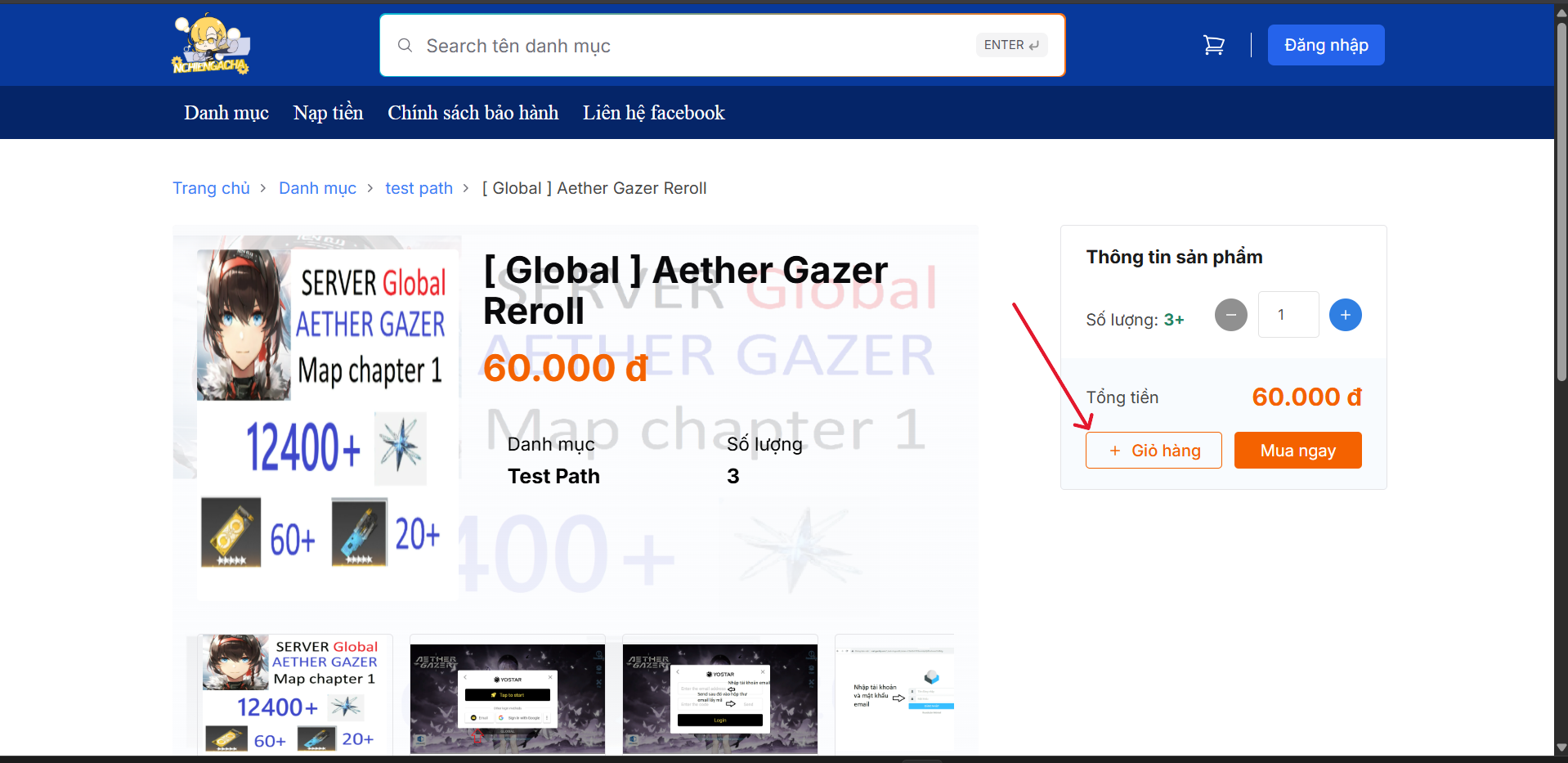
Step 2: Add to Cart
Once you have chosen your product, select quantity and click "+ Add to Cart".
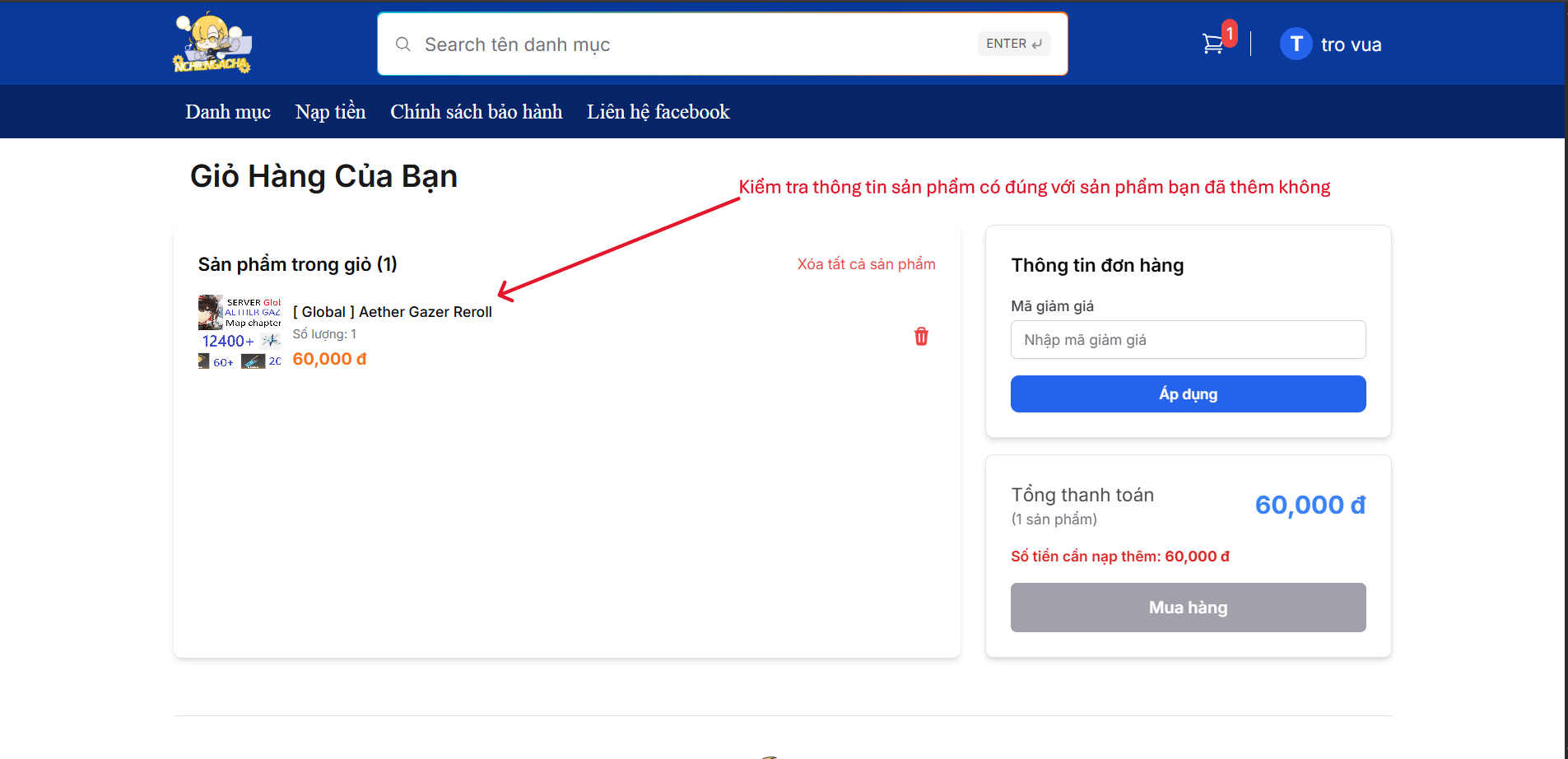
Step 3: Review Cart & Checkout
Click the cart icon to review selected items. You can adjust quantities or remove items. Then click "Proceed to Checkout".
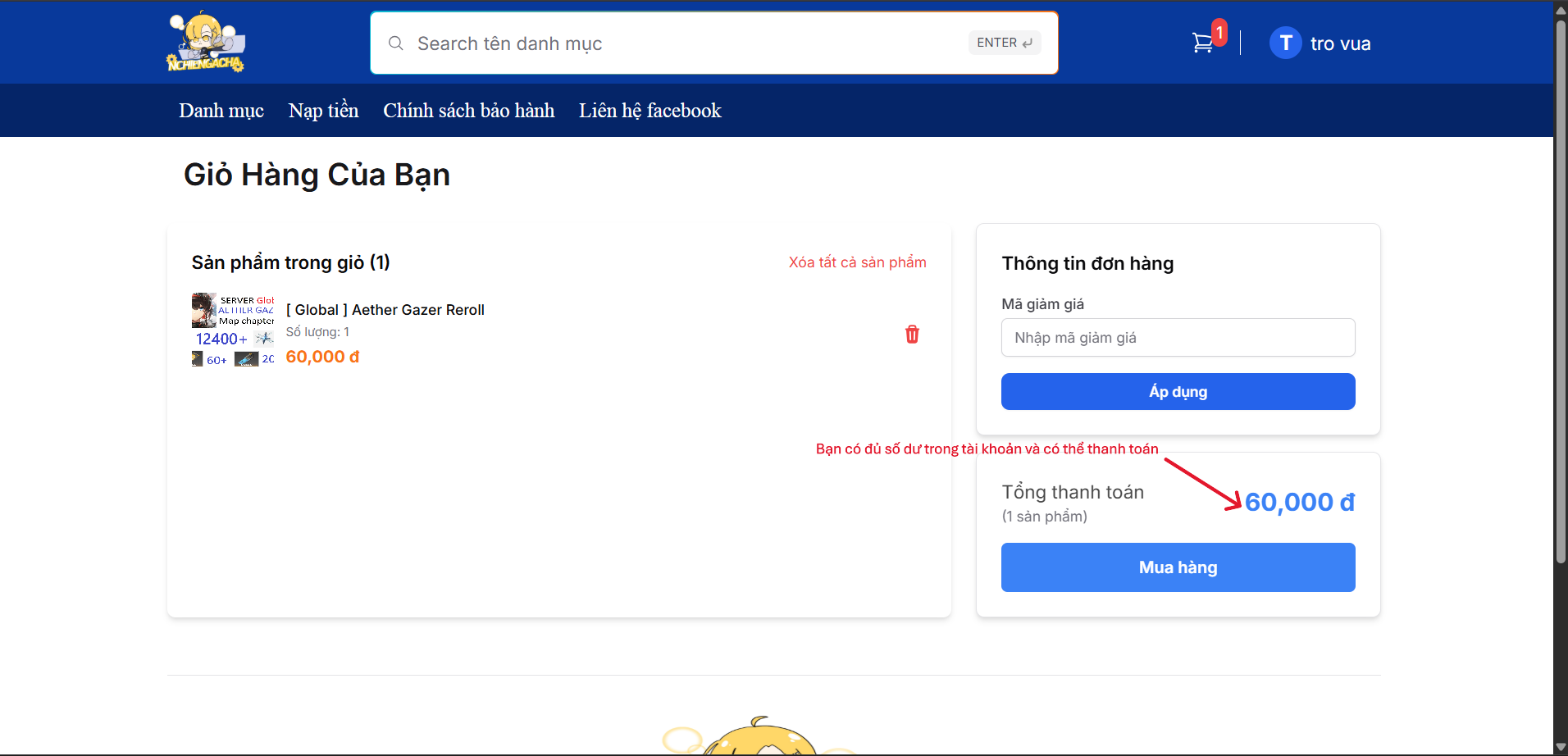
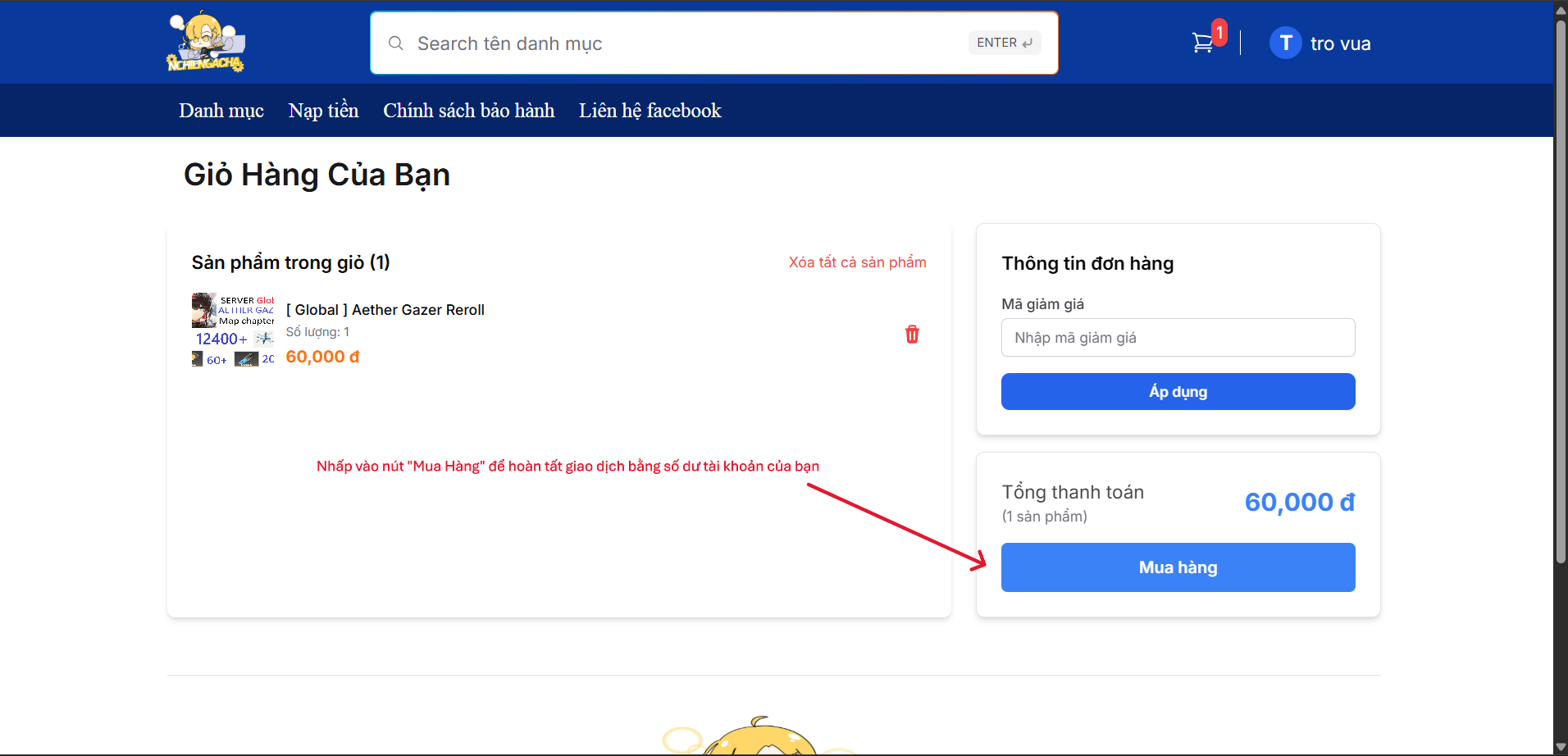
Step 4: Confirm & Pay with Account Balance
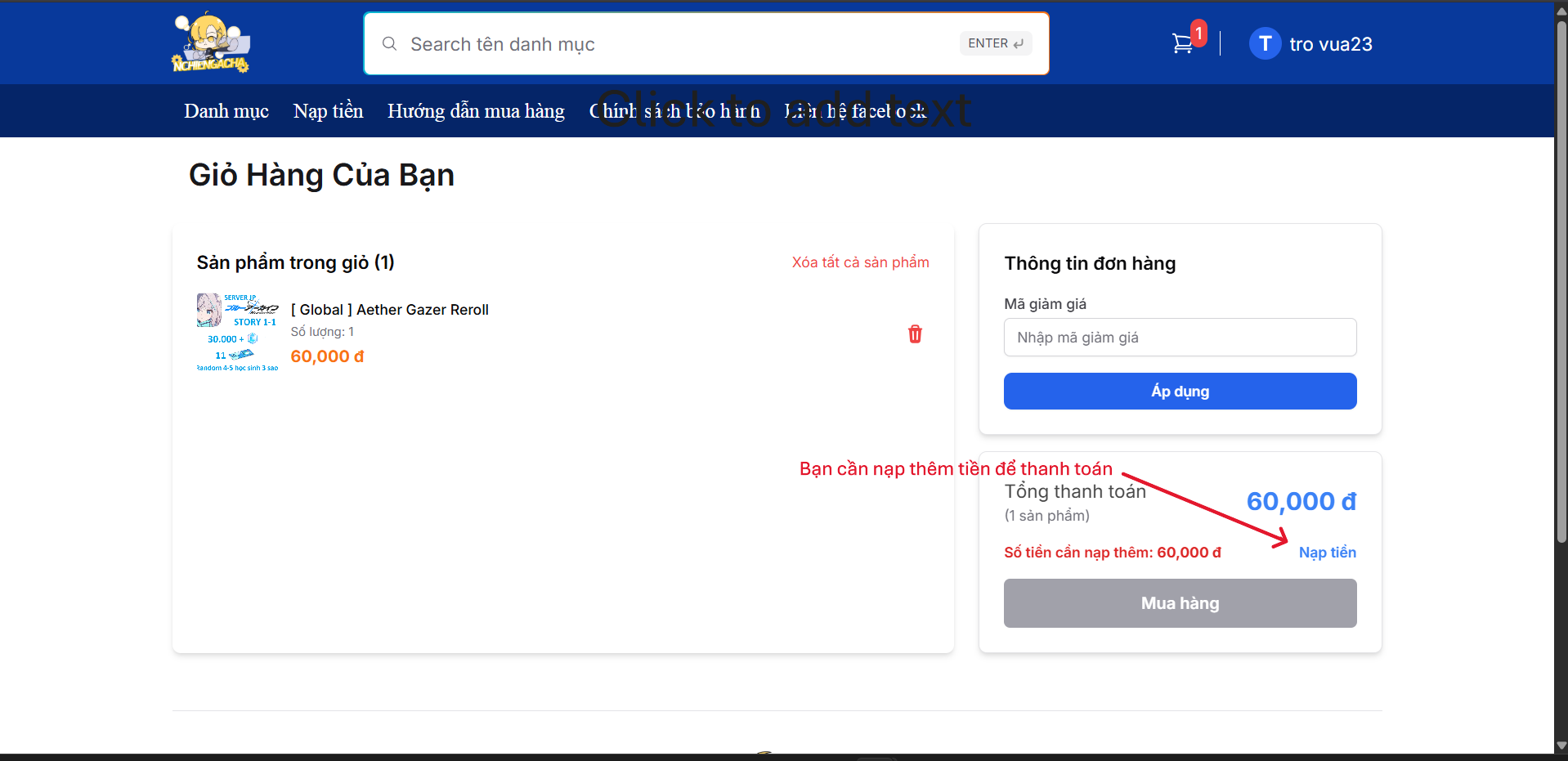
Review your order details. If accurate and you have sufficient balance (already Deposit prior), click "Buy" to complete purchase using your balance.
Step 5: Order Confirmation
After payment, you will receive an order confirmation with your Order ID. We will process and deliver promptly.
Important Notes:
- To purchase products, you must Deposit to your account first.
- Please make sure your account balance is sufficient to complete the transaction.
- Double check order information and amount before confirming.
- If your balance is insufficient, you will need to Deposit More Funds to complete the transaction.
- If you encounter any difficulties during ordering, please do not hesitate to contact our support.
Need more support? Contact us via Fanpage Facebook , Discord or message via Zalo Support.